
Reconciling vendor bills is a nightmare for many advertising agencies.
Bionic today unveiled a cure – a new QuickBooks Integration that automates your vendor bill reconciliation and payment workflows from start to finish. It enables your media and finance teams to increase productivity and to work in perfect harmony. 💯
Advertising Vendor Bill Reconciliation is a Nightmare
Reconciling advertising vendor bills is a nightmare for most advertising agencies.
Ask anyone involved with the reconciliation process, and you’ll hear painful stories about one of the most despised activities every advertising agency.
I’m Just a Bill…
When a bill comes in from an advertising vendor, you can’t simply pay the bill without question. First of all, it’s not your money – it’s your client’s money and they require an audit trail. Second, there are often mistakes on the bill – the vendor charged too much, the ads were not delivered as promised, etc.
As a responsible steward of your client’s media budget, you have to reconcile every bill before making payment.
The Hunt Begins
The bill reconciliation process involves gathering information from the media, analytics, and finance teams – none of whom individually have all the information required to reconcile an invoice.
Of special difficulty is gathering performance and pacing data to prove the vendor actually delivered the media that was promised in the insertion order.
Now for the Math
After all the information is gathered, you have to perform calculations to determine the right amount to pay. This calculation is based on the order, the ad delivery, the performance, and other factors. The result is a determination of the proper, authorized amount to pay.
Because of all the delays in gathering all the information and performing calculations, it can take days or weeks to reconcile every bill.
Time to Pay
Once reconciled, the bill can finally be cleared for payment. Then the finance team schedules the payment, and sometime later actually makes the payment.
Where’s My Money?
Meanwhile, the vendor is calling around the agency wondering why they have not yet been paid. They also want to know when they can expect to be paid.
Frustrations All Around
The finance team is frustrated because they have no direct insight into reconciliation status and have to constantly pester the media team for updates.
The media team is frustrated because they have no direct insight into payment status and have to constantly pester the finance team for updates.
Fortunately, there is now a much better way to receive, reconcile, and pay vendor bills.
Bionic QuickBooks Integration Streamlines Ad Agency Bill Payment Workflow
The new Bionic QuickBooks Integration will transform your reconciliation nightmares into a dream workflow. Your media and finance teams will love you for this! 🥰
With the new Bionic QuickBooks Integration:
Reconcile Advertising Vendor Bills

When a vendor bill is received, you can instantly reconcile it through the Bionic reconciliation tool. Based on the vendor bill, the associated order, and the performance, Bionic will automatically calculate the maximum amount to pay.
Transmit Reconciled Bills to QuickBooks
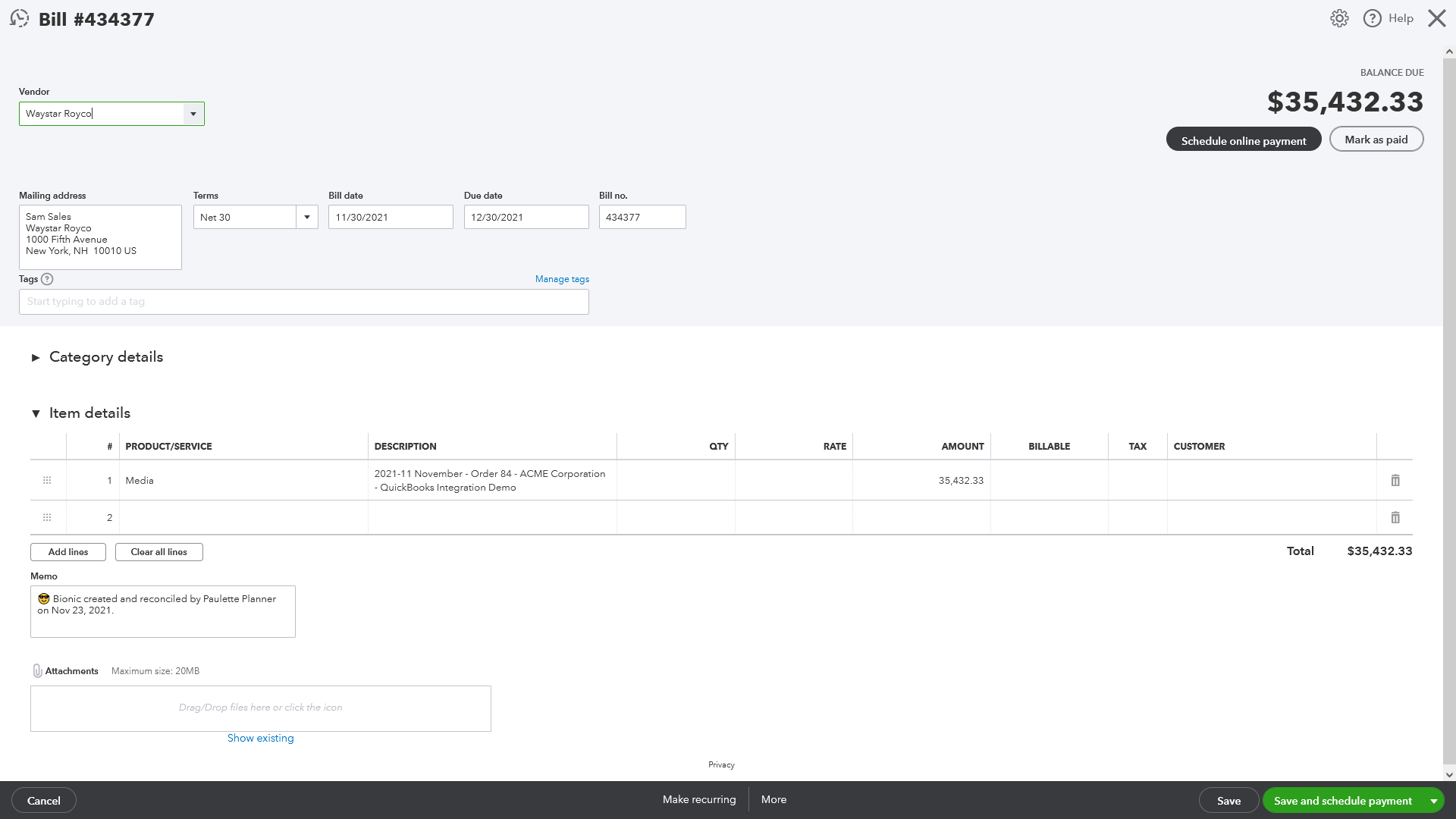
Immediately upon saving the reconciled vendor bill in Bionic, Bionic will transmit the reconciled bill to QuickBooks along with all the reconciliation details needed by the finance team.
Pay Vendor Bills

The beauty of this integration is you don’t have to change anything with your payment process. You simply pay the bill in QuickBooks as you normally do. You can pay by check, ACH bank transfer, wire transfer, credit card, bitcoin, dogecoin, barter, or however you pay your bills.
Update Media Team on Payment Status
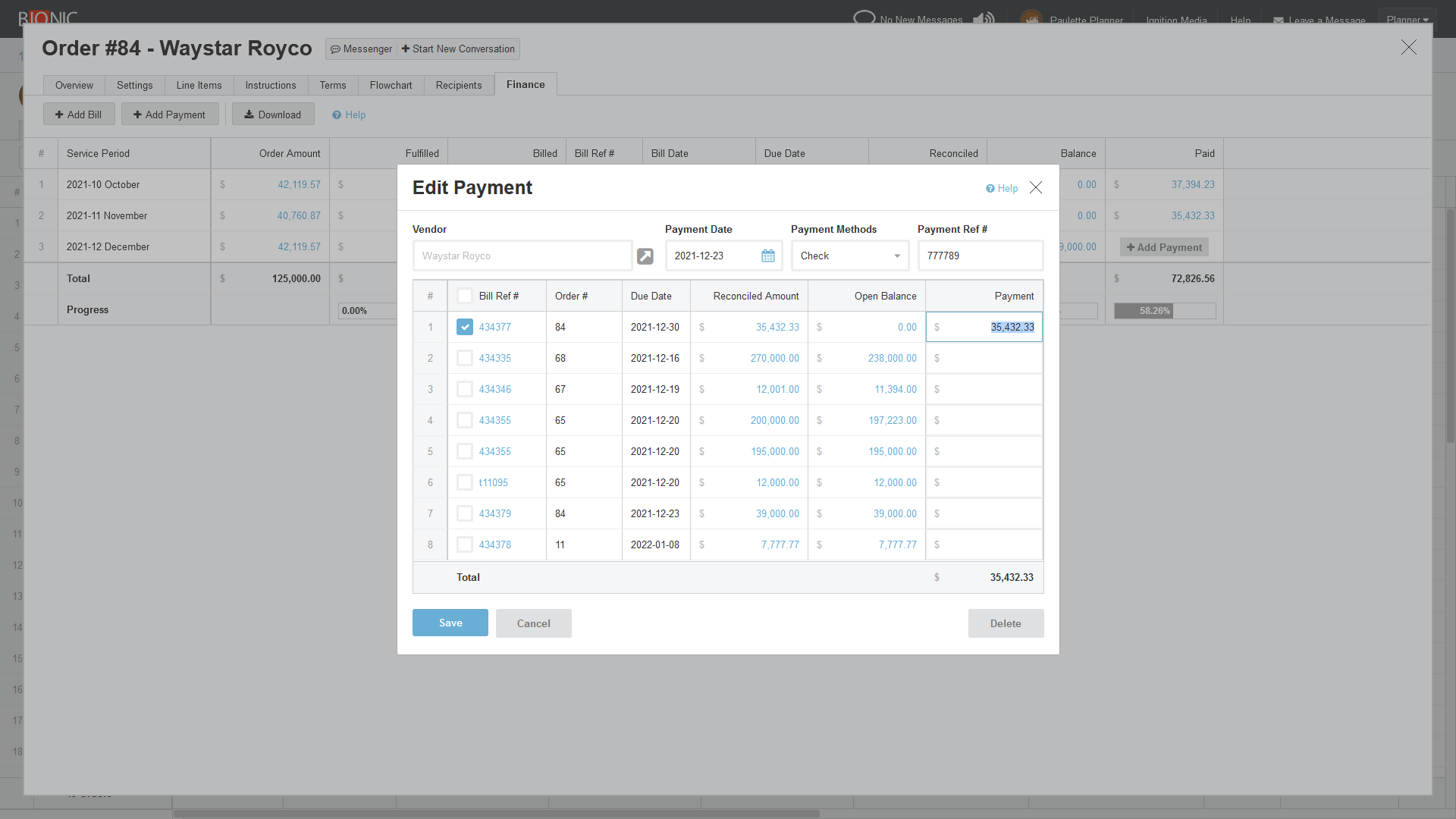
Immediately upon making a payment in QuickBooks, the payment information is transmitted to Bionic. This keeps the media team up to date on payment status, even if the payment is scheduled for the future.
Media and Finance Teams Working in Harmony
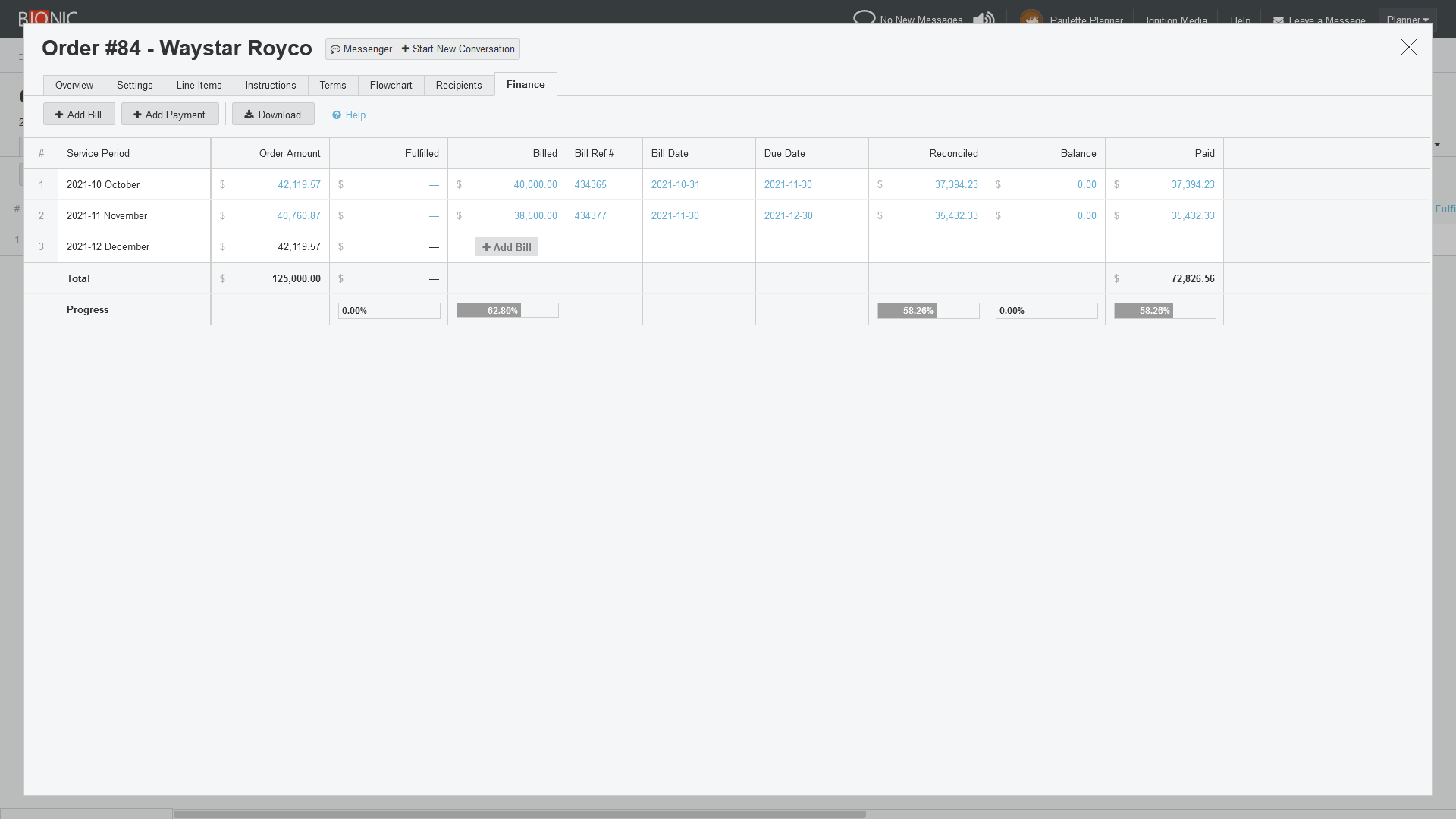
This new automation streamlines the vendor bill payment workflow. No headaches. No delays. No mistakes.
Your media and finance teams will be on the same page, working in harmony.
The best part is you don’t need new systems or special training.
If you already have Bionic and QuickBooks Online, all you have to do is activate the integration. Each of your teams continue to work in the system they’ve been already using to do their jobs. Your media team works in Bionic. Your finance team works in QuickBooks. The Bionic QuickBooks Integration “magically” keeps the systems and teams in sync with each other.
How to Get Bionic QuickBooks Integration
If you’re already using Bionic and QuickBooks, this QuickBooks integration is immediately available to you, but must be activated. To activate your integration, contact your Client Success Manager or contact customer support.
If you’re not currently using QuickBooks Online, you can request access through their website here: https://quickbooks.intuit.com/
If you’re not yet using Bionic, you can see capabilities, get pricing, see a demo, or start a trial through our website here: https://www.bionic-ads.com/agencies/