

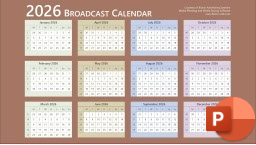
Need a 2026 broadcast calendar? Download in various formats including PDF, PNG, JPEG, DOC, and PPT. These broadcast calendars are fully customizable.
These 2026 Broadcast Calendar designs are sleek and modern, making them perfect for integrating into your presentations.
But what exactly is a Broadcast Calendar?
Understanding the Broadcast Calendar
When you’re media planning and media buying linear TV and radio, you’re not working off the same calendar hanging on your kitchen wall. You’re working off the Broadcast Calendar: the industry’s own version of time.
Why? Because our standard (Gregorian) calendar is messy. Months start on different days of the week, but TV and radio schedules run Monday through Sunday. That mismatch makes it hard to line up spots, ratings, and invoices. The broadcast calendar fixes that problem by putting everything on the same grid.
Here’s how it works: every week always runs Monday-Sunday, and every broadcast month always starts on a Monday and ends on a Sunday. That means you get clean four-week or five-week blocks that match the way programming and billing actually happen.
Of course, this creates its own headaches: months swing between 28 and 35 days, which rarely line up with client budgets. That’s where tools like Bionic for Agencies come in. Bionic handles the tricky broadcast calendar math automatically, so you can stay focused on delivering results instead of reconciling calendars.
Printable 2026 Broadcast Calendar PDF
Here are four Adobe PDF Broadcast Calendar formats: Portrait (8.5×11 inch) and Landscape (11×8.5 inch) orientations, each in light and dark styles.

2026 Broadcast Calendar PDF
117 KB

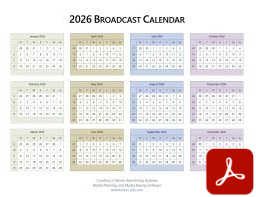
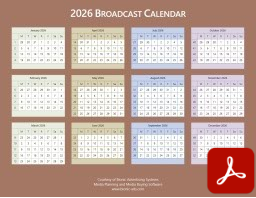
PNG 2026 Broadcast Calendars
Here are 1600×900 PNG image 2026 Broadcast Calendars in both light and dark formats.


JPEG 2026 Broadcast Calendars
Here are 1600×900 JPEG image 2026 Broadcast Calendars in light and dark formats.


2026 Broadcast Calendar JPG
286 KB
Word DOCX 2026 Broadcast Calendars
Here are four Microsoft Word DOCX formats: Portrait and Landscape orientations, each in light and dark styles. See How to Customize below.


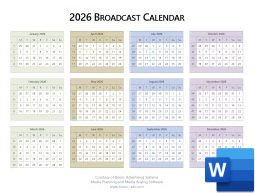
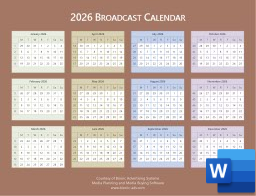
PowerPoint PPTX 2026 Broadcast Calendars
This PowerPoint Presentation contains both dark and dark styles, on slides 1 and 2 respectively. See How to Customize below.
How to Customize Your 2026 Broadcast Calendar
Don’t love the default colors or layout on our Broadcast Calendars? No problem. We designed the Microsoft Word and PowerPoint 2026 Broadcast Calendars so you can tweak them to match your client decks, brand guidelines, or just your personal preference.
The fastest way to do it: swap out the Microsoft Office theme colors. Instead of manually re-shading every cell (painful), just pick a built-in theme or create your own custom palette. A couple clicks and the whole calendar updates instantly.
Microsoft has a simple guide to:
If you’re working in Word, you can also adjust paper size and margins. The calendar automatically reflows to fit the space—so whether you need a one-pager for an internal meeting or a polished insert for a client presentation, it’s easy to make it look sharp.
Need a Hand?
If you’ve got questions or run into issues with these Broadcast Calendars, we’ve got you covered. Our support team is here and ready to help.
Let Software Do the Heavy Lifting
Managing the back-and-forth between the Broadcast Calendar and the standard calendar can get messy fast. That’s why smart media planning and buying software is a must.
Tools like Bionic for Agencies keep your flights, budgets, and billing aligned automatically—so you can stay focused on strategy, negotiations, and hitting your client’s goals.